 WhatsApp
Quotes, invoices and receipts to the chat
Taking a screenshot of the PDF and sending it by hand, without knowing whether the customer got it.
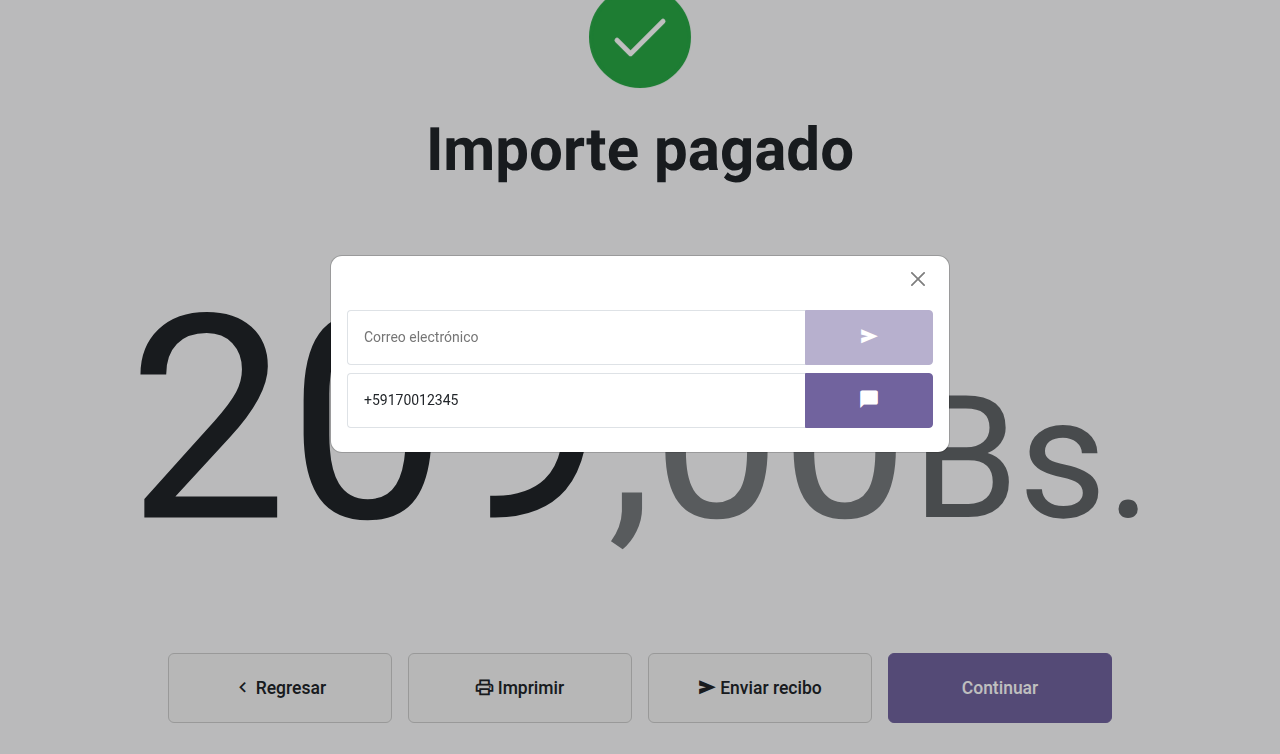
The quote, the order, the SIAT invoice and the till receipt go to the customer's WhatsApp from the document, with their PDF.
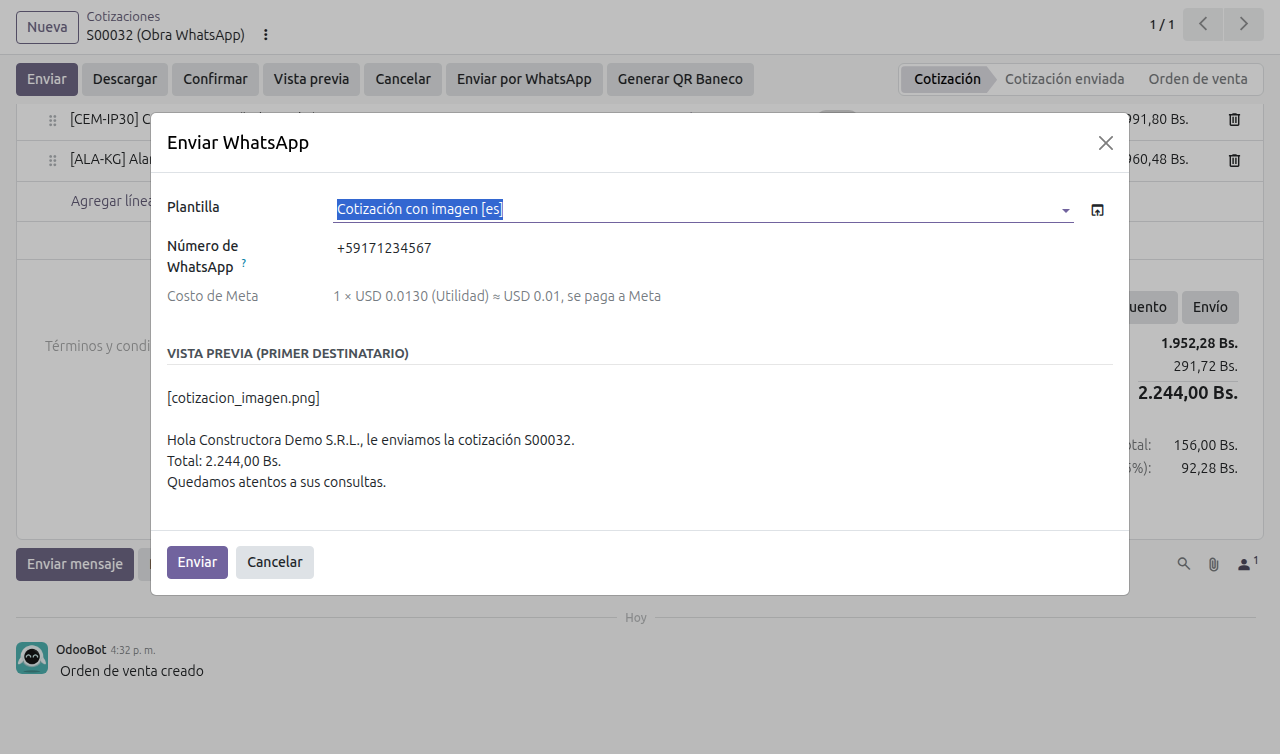
With the approved template and its PDF Sending the quote
What it includes
Odoo records whether the message was delivered and read.
From the document
One button on the quote, the invoice or the till.
SIAT invoice
With its PDF and the tax office verification link.
Till receipt
The receipt image, to the customer's number.
Delivered and read
Each message's status, in view.
Real screens
Odoo with a fictitious company and data. Tap a screen to see it large.
We'll show you Odoo with a case from your company
45 minutes, online or at your office in Santa Cruz.