Skip to Content

Purchases from the invoice QR

Record supplier invoices by reading their QR instead of typing them, with the purchase ledger ready.

Available Community and Enterprise RND 102100000011 (Purchase Register)
Purchases from the invoice QR
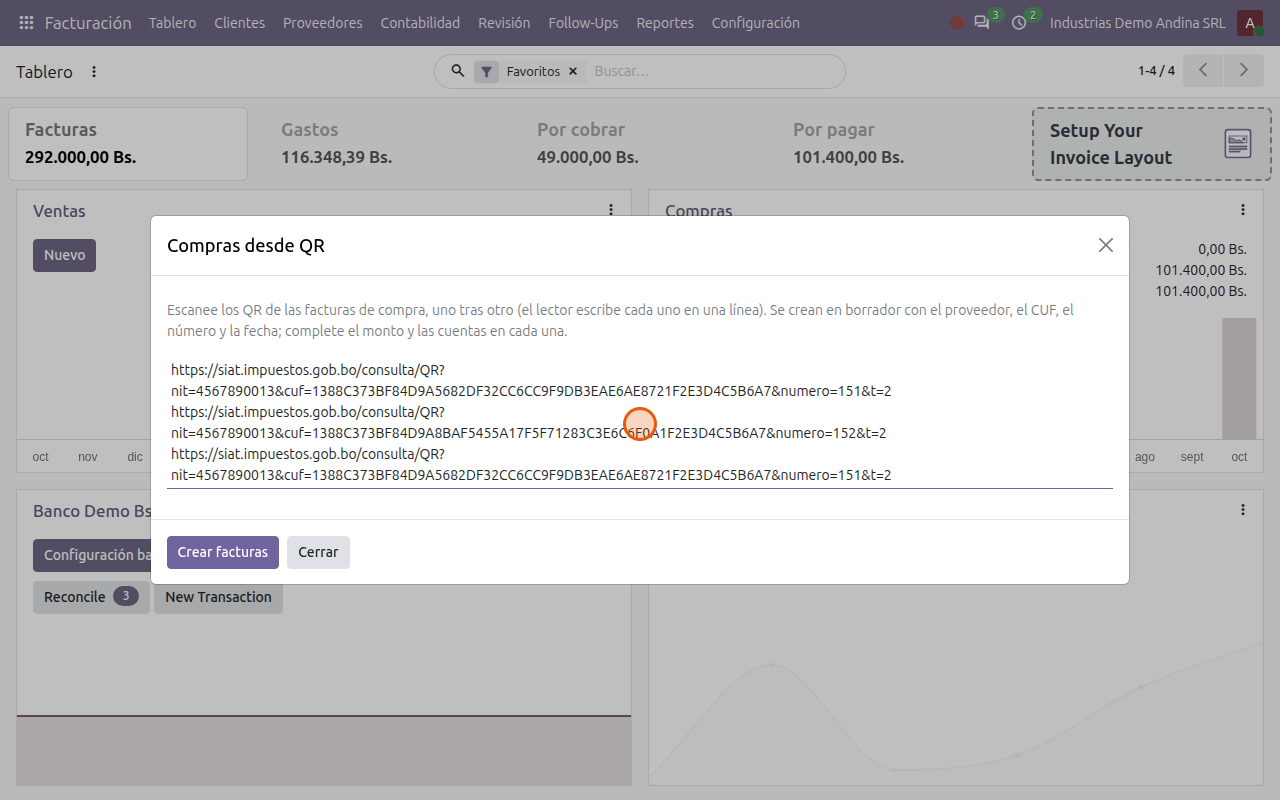
Several invoices at once: one QR per line, from a scanner, the camera or a photo.

Several invoices at once: one QR per line, from a scanner, the camera or a photo.

What it does

1

Read the QR with a scanner, the phone camera or a photo; several invoices at once

2

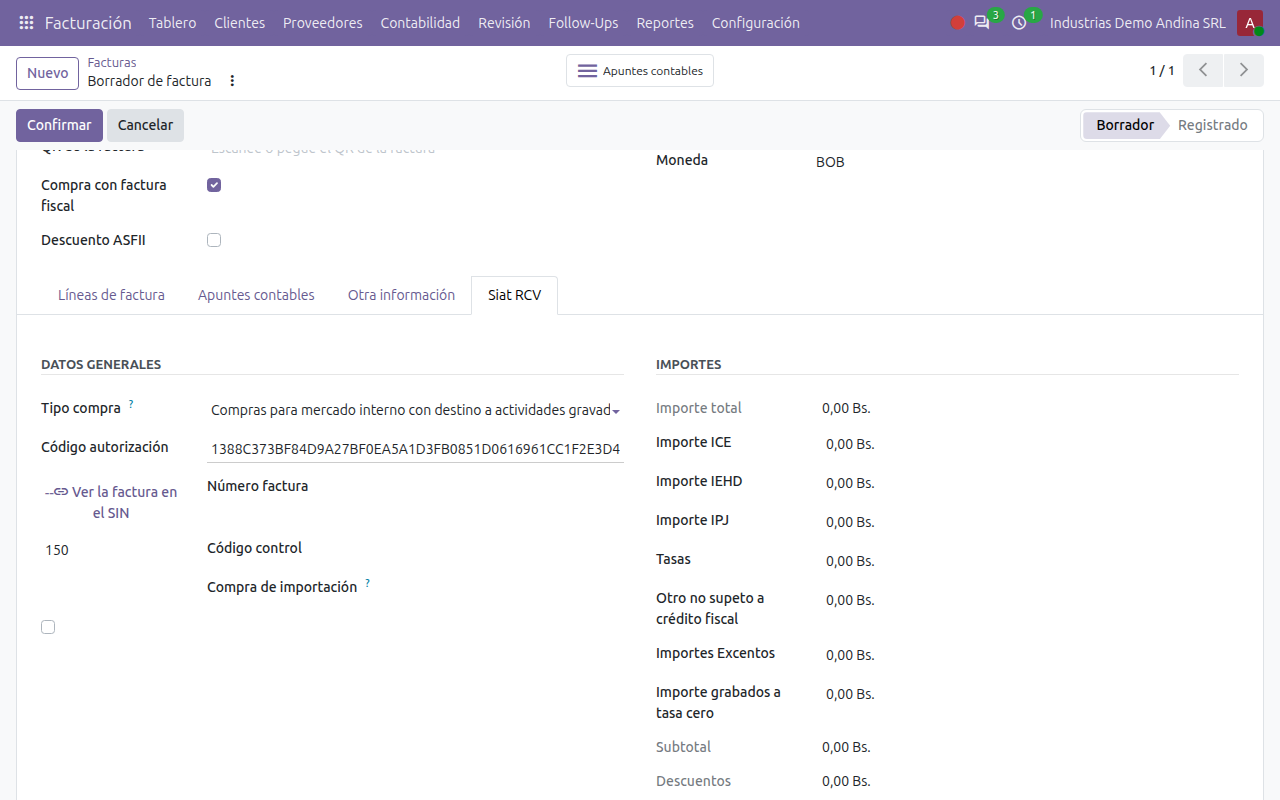
The SIN public lookup fills in supplier, CUF, number, date, lines and total

3

Warns when the invoice is cancelled or was issued to another tax ID

4

Purchase ledger in the SIN format, matching the accounting

Good to know: The SIN lookup relies on its public, undocumented service: if it fails, the invoice is entered by hand.

How it looks in Odoo

Purchases from the invoice QR
The purchase invoice with the tax data brought by the SIN lookup.

The purchase invoice with the tax data brought by the SIN lookup.

Invoicing and taxes

E-invoicing, purchases and vouchers the way Bolivia's tax authority (SIN) requires.

Shall we see it working with a case from your company?