 Accounting
Your complete accounting, with reports up to date
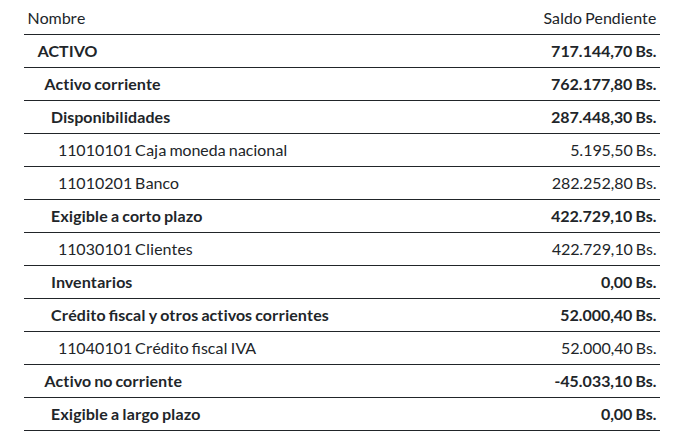
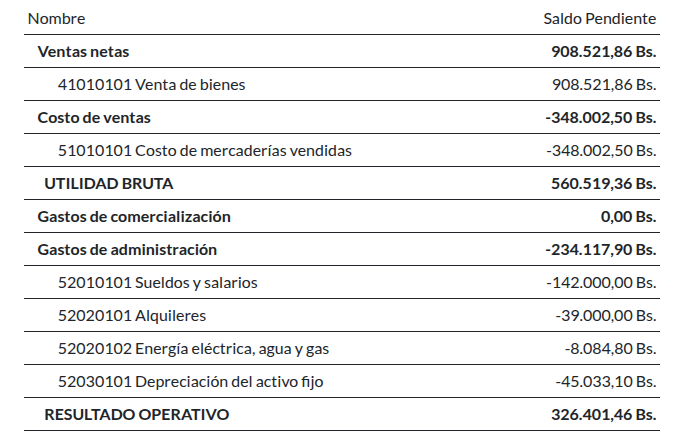
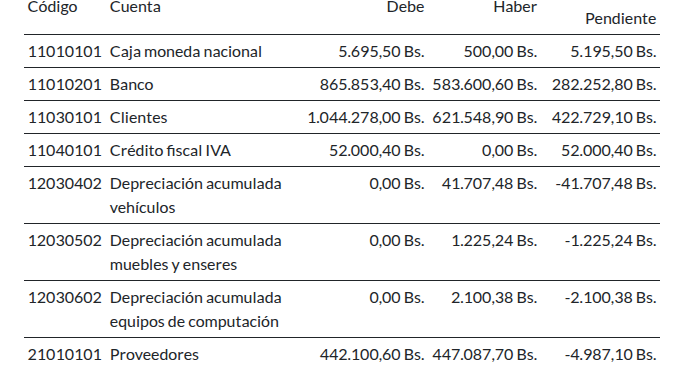
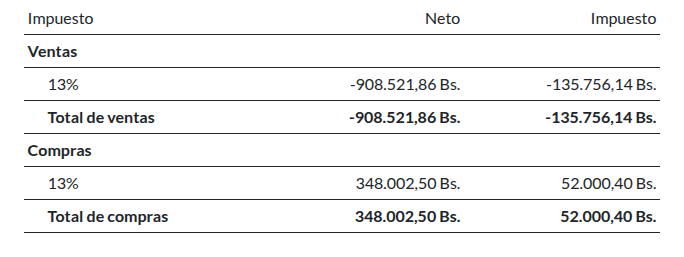
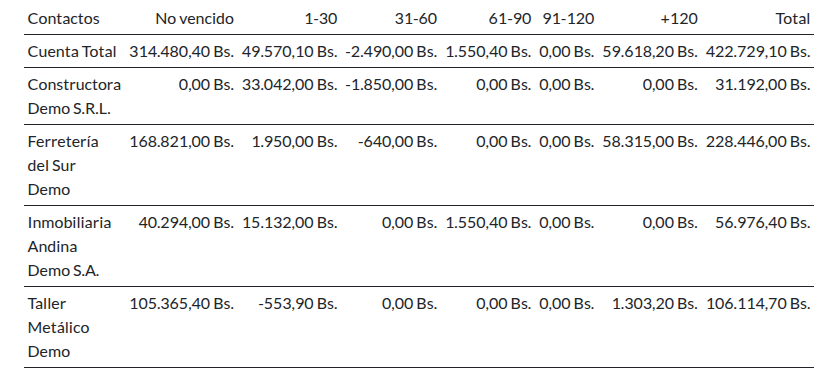
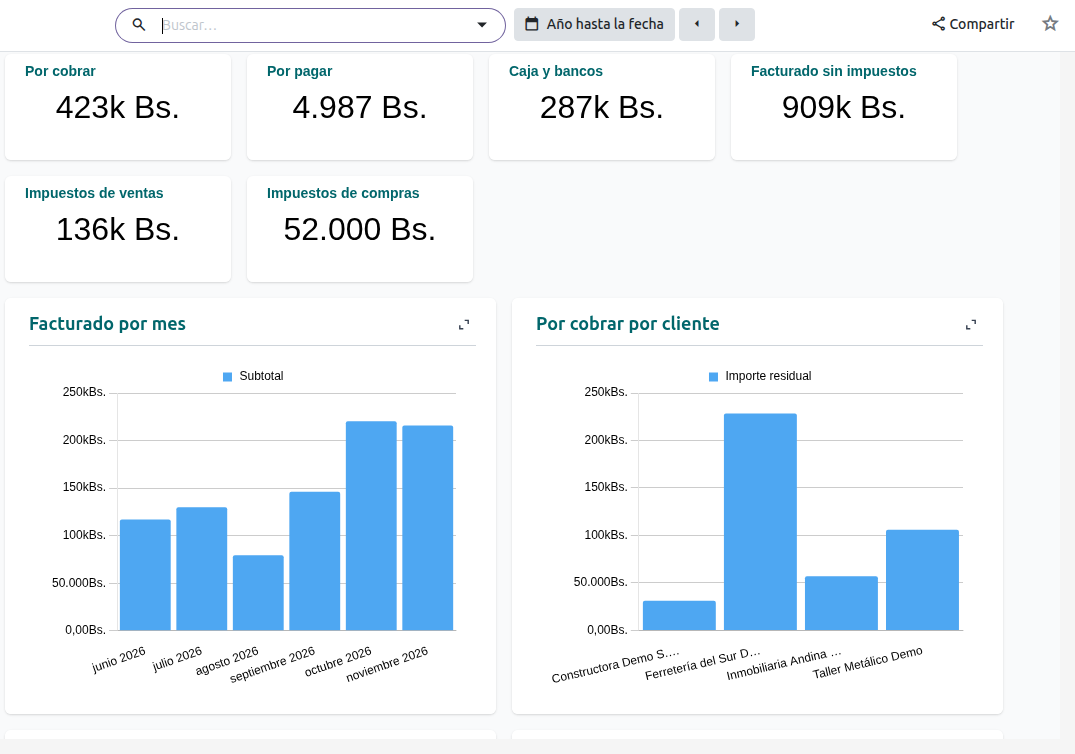
Every sale, purchase and payment is posted on its own. Balance sheet, profit and loss, ledgers, taxes and receivables come out in seconds, with the Bolivian chart of accounts.
What it solves
A month of accounting, from operations to closing
This is how accounting comes together in Odoo, without typing entries. Each step shows who solves it.
-
1 Operations
Sales, purchases, the till and payroll create their documents
-
2 Entries
Every validated document is posted on its own
-
3 Taxes
VAT and IT in their accounts; invoices validated by the tax office
-
4 Collections and payments
By QR, transfer or batch to the bank
-
5 Reconciliation
The bank statement against what was recorded
-
6 Month-end close
Bolivian checks and a lock date
-
7 Reports
Balance sheet, profit and loss, ledgers and dashboard
-
Result
Books up to date and the month closed in the first days
Odoo standard Community apps Cambasoft
Connects with

Other apps
One app for each need: start with what you need and add the rest as you grow.
 Full accounting
The accountant's accounting: reports, closing, assets and budget.
 Expenses
Employee expenses reported and reimbursed without loose receipts.
 Sales
Quote, sell and follow every order from one place, without side spreadsheets.
 CRM
Never lose a sales opportunity and know how much you will sell.
 Point of sale
Sell over the counter fast, from a computer, a tablet or a phone.
 Restaurant
The point of sale adapted to restaurants and cafés.
 Website and online shop
Have a website and sell online with the same products, prices and stock as the system.
Promotions and loyalty
Attract and keep customers with promotions the system applies itself.
We'll show you Odoo with a case from your company
45 minutes, online or at your office in Santa Cruz.