 Purchasing
Buy on time and pay what is fair
From request to payment, with input VAT in its account and every bill against what was received.
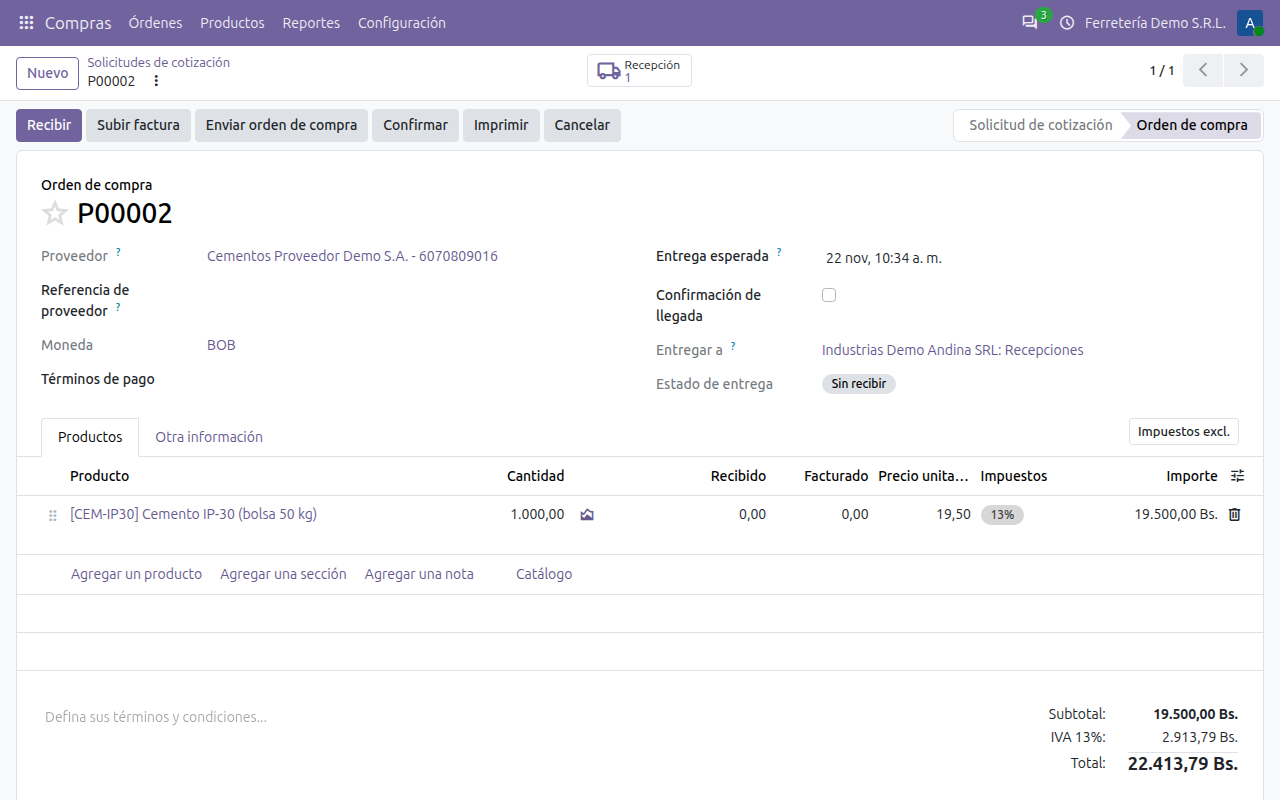
Clear purchase orders
A purchase, from need to payment
This is how Odoo carries a purchase, without entering the same thing twice. Each step shows who solves it.
-
1 Need
A replenishment rule or an order proposes what to buy
-
2 Request for quotation
Suppliers' prices are requested and compared
-
3 Purchase order
Confirmed, with approval when needed
-
4 Receipt
The warehouse receives and stock goes up
-
5 Supplier invoice
Comes in from its QR, with its input VAT
-
6 Payment
In a batch to the bank, meeting the banking rules
-
7 Accounting
Cost, input VAT and supplier debt, on their own
-
Result
You pay for what was ordered and received, and the purchase book balances
Odoo standard Community apps Cambasoft
Connects with
Other apps
One app for each need: start with what you need and add the rest as you grow.
 Inventory
Know what you have, where it is and what it is worth, at all times.
 Lots and expiry dates
Sell first what expires first and stop losing goods.
Import costs
Know the real cost of imported goods and the true margin.
 Manufacturing
Produce with control of materials, times and costs.
 Maintenance
Keep equipment from stopping for lack of maintenance.
 Repairs
Handle repairs of customers' products, with spare parts and billing.
 Fleet
Keep the company's vehicles and their costs under control.
 Sales
Quote, sell and follow every order from one place, without side spreadsheets.
We'll show you Odoo with a case from your company
45 minutes, online or at your office in Santa Cruz.