 Health and pharmacies
Every lot with its expiry date, every sale with its invoice
Pharmacies, drug distributors, laboratories and clinics. Inventory by lot and expiry date, counter sales with the tax invoice and stock per branch.
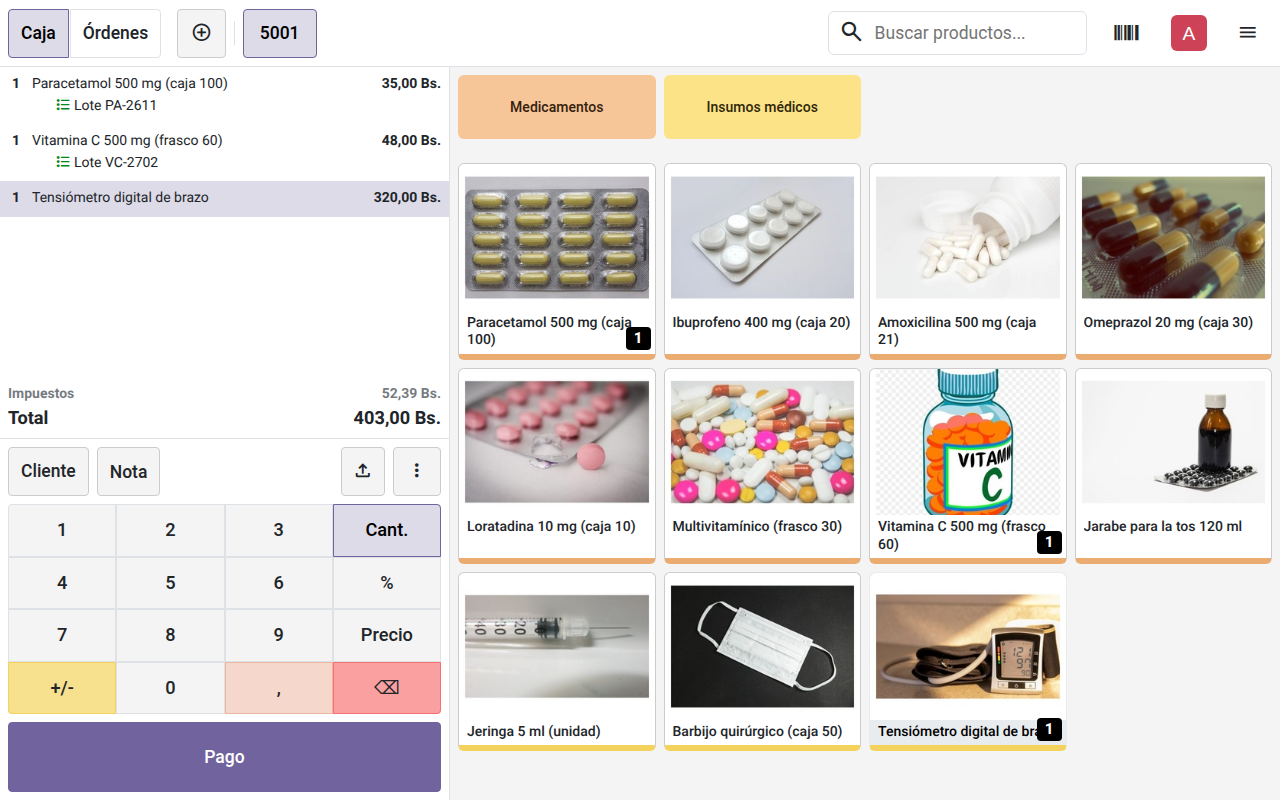
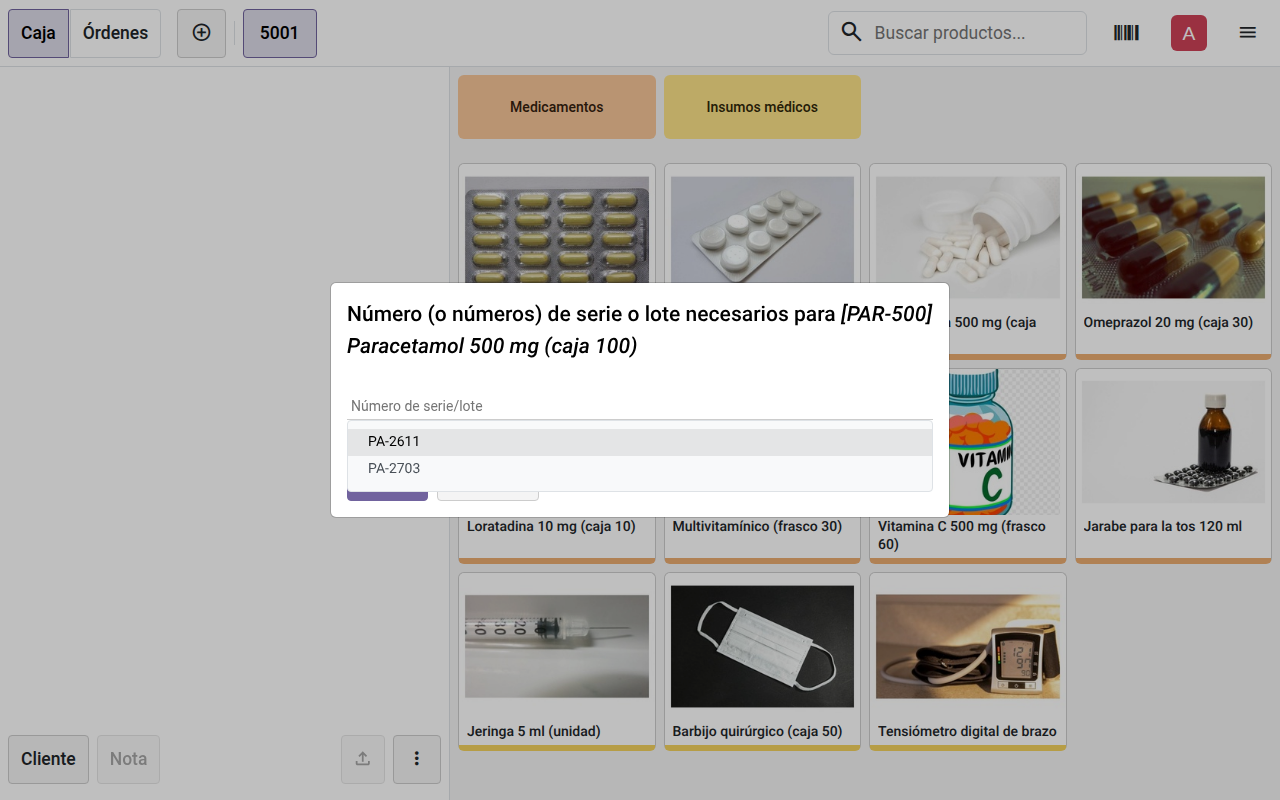
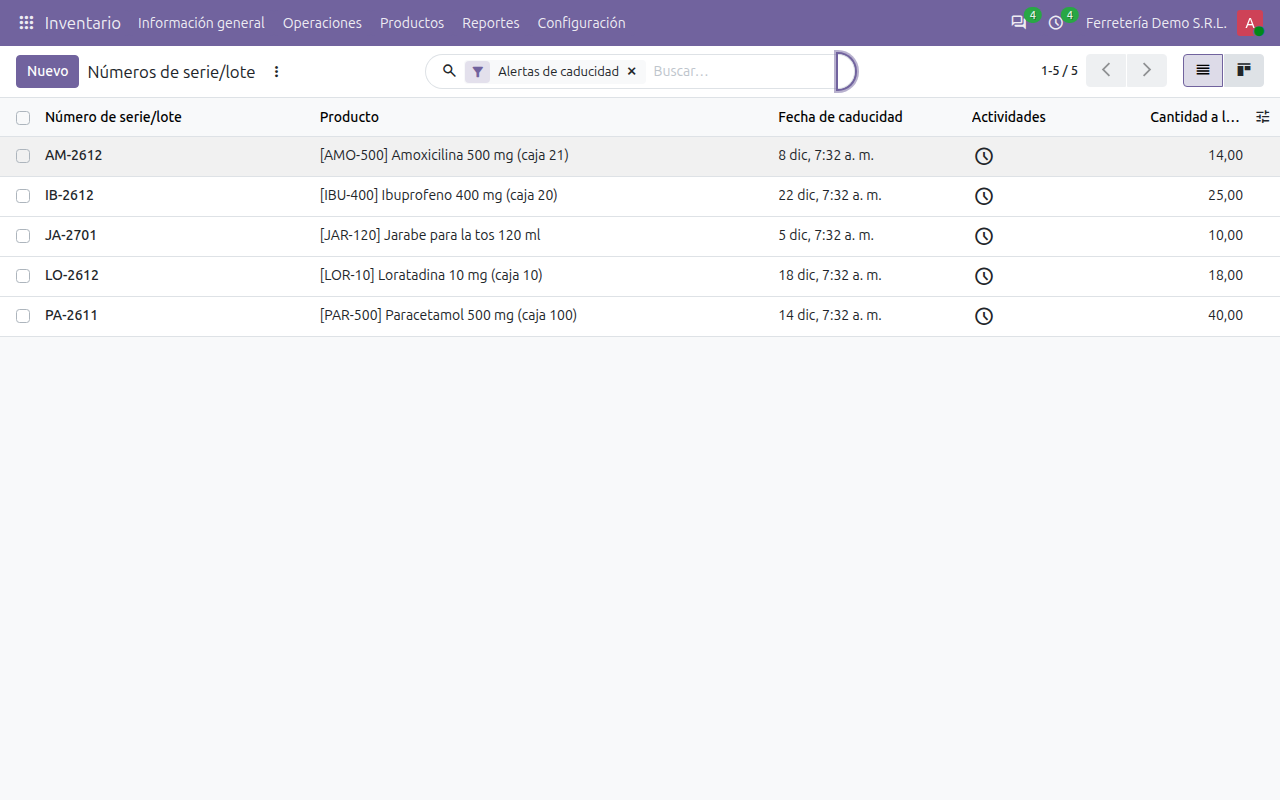


What we solve
Odoo tracks each lot with its date and warns before it expires.
The tax invoice and the QR payment come out of the till in seconds.
Stock per branch and replenishment rules organise purchasing.
They are recorded by reading the QR on the supplier's invoice.
One operation, start to finish
-
1 PurchaseThe lot arrives with its expiry date L-2611 · 03/2027
-
2 StockEach branch sees its lots by expiry date
-
3 SaleCounter sale with tax invoice QR or cash
-
4 ControlAlert for expiring lots 30 days ahead
-
5 AccountingSales and cost up to date automatic entry
Real screens
Fictitious company and data.
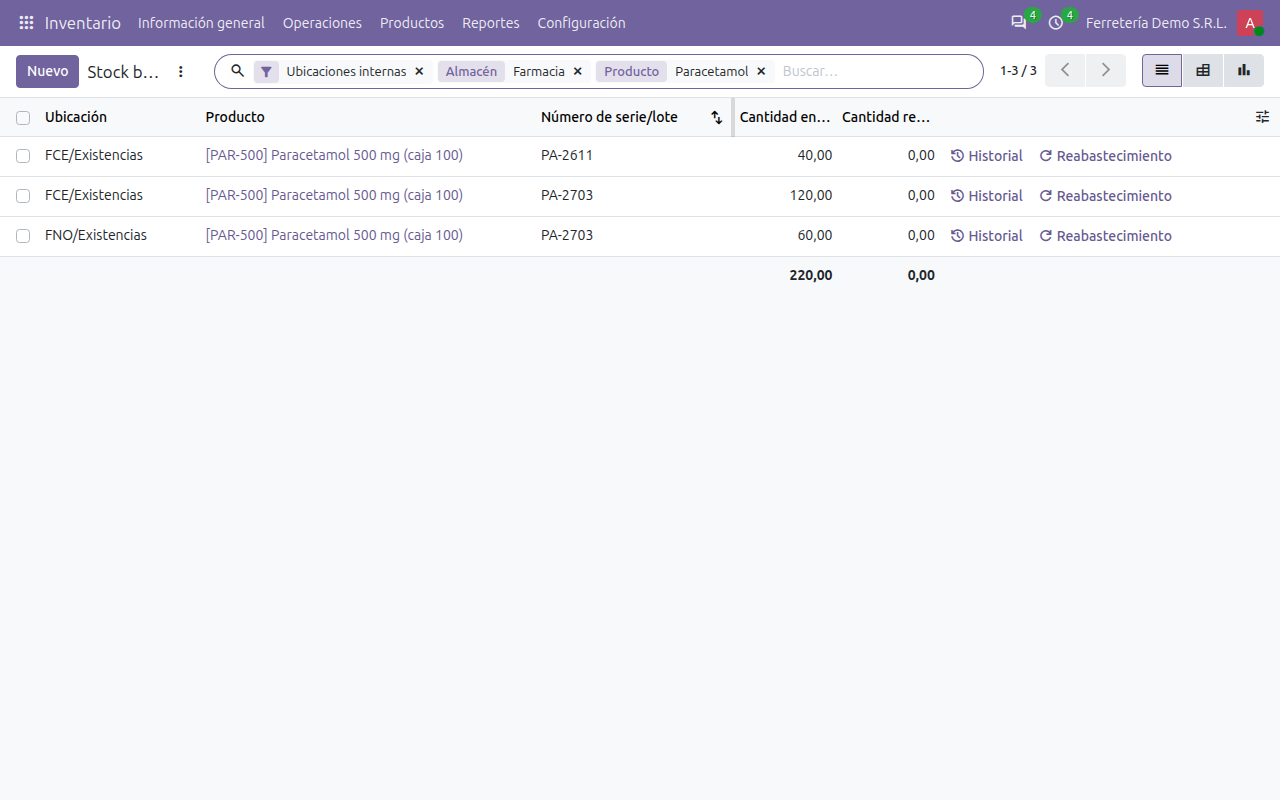
Paracetamol in each branch, lot by lot: how much is at the Central pharmacy and how much at the North one.
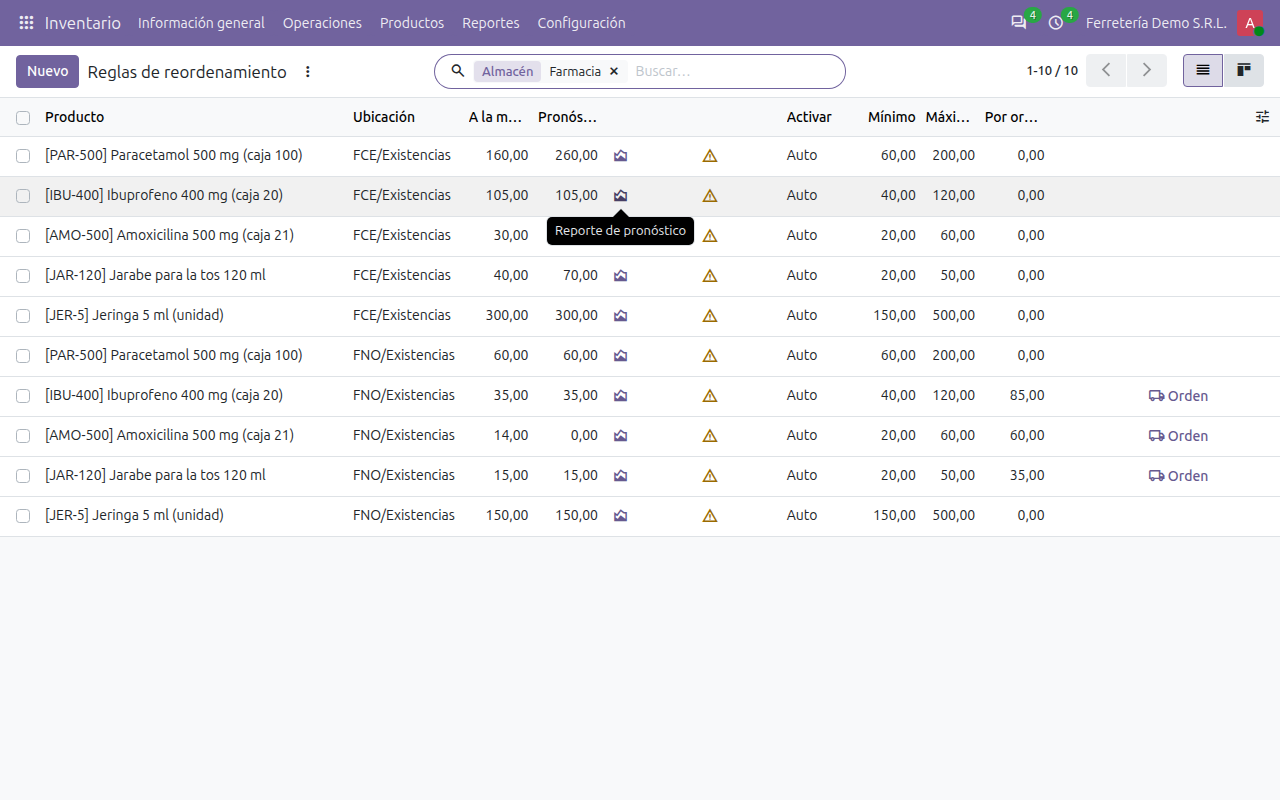
Replenishment per branch: with each medicine's minimum and maximum, Odoo builds the purchase of what is missing.
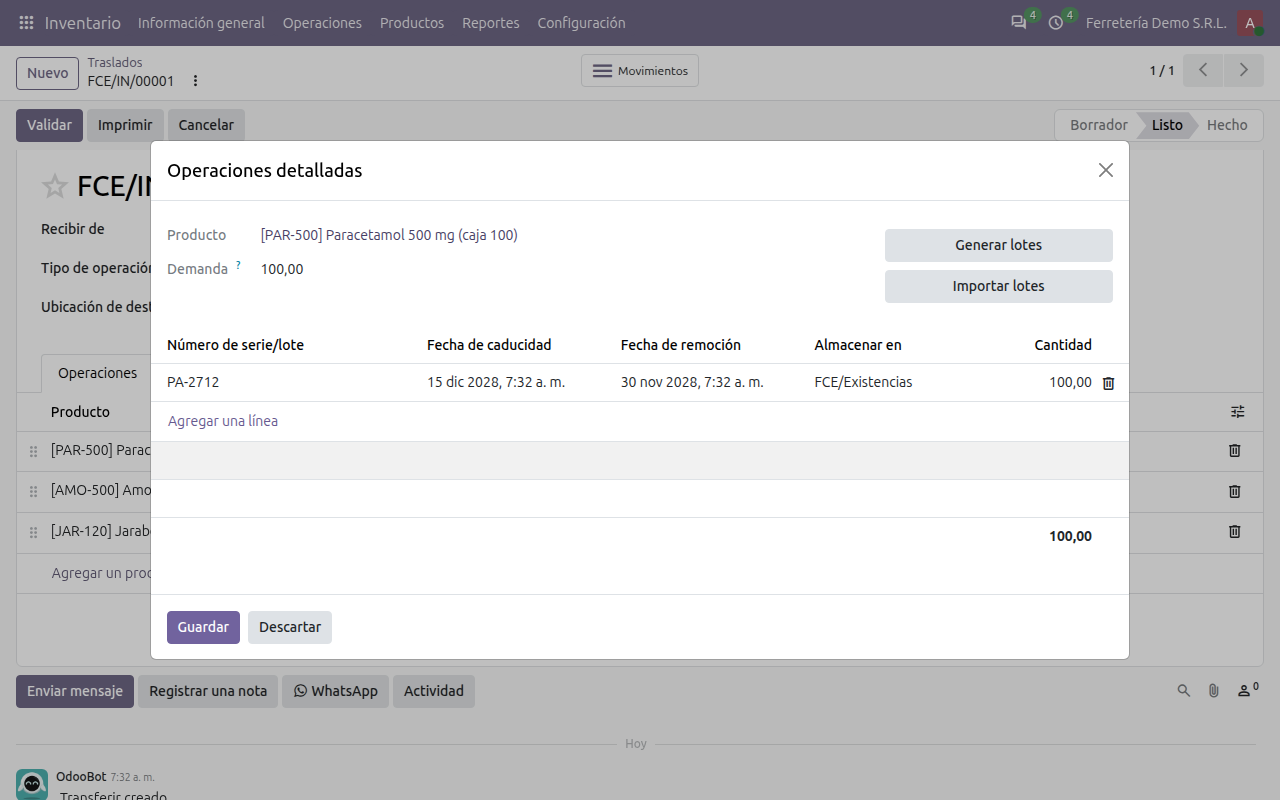
When the wholesaler's delivery arrives, each new lot comes in with its expiry date.
What we add to Odoo for this industry


Which edition fits
| Need | Community + Cambasoft | Enterprise + Cambasoft |
|---|---|---|
| Inventory by lot and expiry date | ✓ Included | ✓ Included |
| Point of sale with tax invoice | ✓ Cambasoft | ✓ Cambasoft |
| QR payment | ✓ Cambasoft | ✓ Cambasoft |
| Odoo licence | Free | Per user |
Industry questions
Does it track expiry by lot?
Yes. Each lot keeps its expiry date and Odoo suggests selling the one that expires first.
Does it work with several branches?
Yes. Each branch has its till, its warehouse and its point of issue with the SIN.
We'll show you Odoo with a case from your company
45 minutes, online or at your office in Santa Cruz.